Amazon Bedrock AgentCore 환경에서 리스닝마인드 DaaS MCP Server를 연동하는 방법입니다.
Amazon Bedrock AgentCore + MCP Server 연동
Step 1. Gateway Target 등록
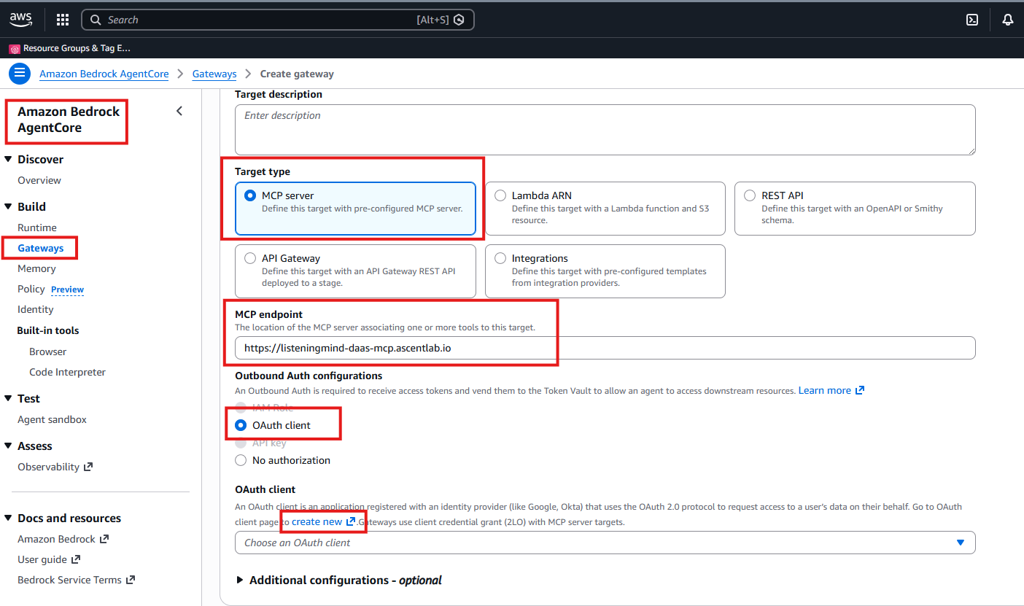
AWS Bedrock AgentCore→ Build → Gateways 클릭
- Target type → MCP Server 선택
- MCP endpoint: https://listeningmind-daas-mcp.ascentlab.io
Step 2. Outbound Auth Configurations
- OAuth client 선택
- OAuth client 생성을 위해 create new 클릭
Step 3. Add OAuth Client 입력
- Provider: Custom provider
- Configuration type : Manual config
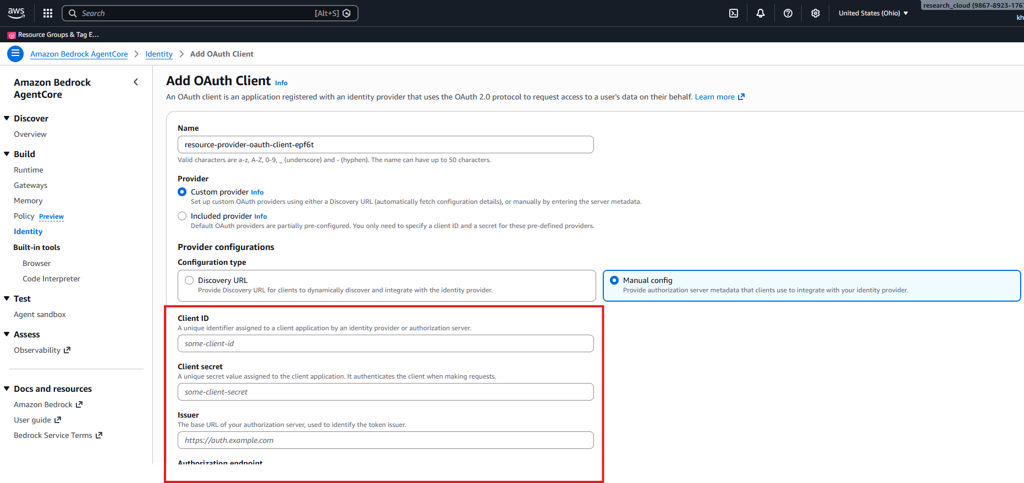
리스닝마인드에서 발급한 다음 정보를 입력하세요.
- Client ID
- Client secret
- Issuer
- Authorization endpoint
- Token endpoint
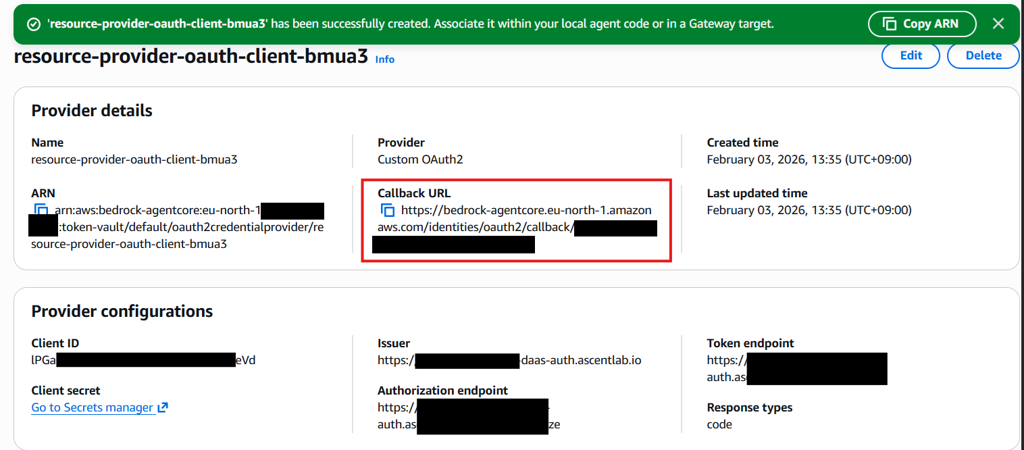
OAuth Client 생성후 Callback URL 리스닝마인드에 전달하면, 설정이 완료됩니다.